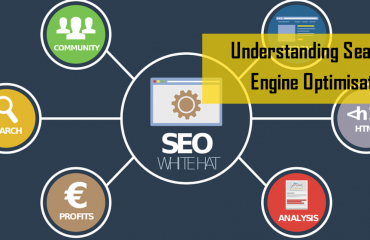
Here are some of my tips for SEO (Search Engine Optimisation) when you are setting up a WordPress Website.
1. Set your Permalinks
The URLs of your website pages and posts are called Permalinks. In layman’s language, they are what people use in their address bars to reach to your website and view pages. They are also used by other websites and search engines to link to your website.
WordPress comes with a default permalink setting to allow you to change them as per your convenience and needs. These settings can be found in settings -> permalinks.
It is always a best practice to change the default setting to post name i.e. /%postname%/ since it is easy to remember by the users and simple to index by search engines.
2. Create a sitemap for your website
Your website can contain hundreds of pages and in order to get your web pages indexed by Google, you need to tell Google your website structure.
Creating a Google XML sitemap is extremely easy. WordPress offers a range of plugins that can generate an XML sitemap, Wiser Websites recommends Yoast SEO as probably the industry standard in 2019.
3. Use Google Analytics
Google Analytics is a popular analytic tool developed and offered by Google. It is absolutely free to use and helps you keep track of your website traffic. The tool has graphs and data about the traffic source, conversions, behaviour, your audience and various other important information that will help you better reach your target audience.
Google Analytics can also help with a number of different chores including locating a 404 error page, examining the source of your traffic and combating referral spam, though some of these actions are better performed using other tools such as the new Google Search Console.
4. Optimize your media
Images, videos and any other media content are important parts of any website. However, they can either completely ruin or improve your SEO efforts. How you tag and name your images will be incredibly important for your overall SEO. With proper tagging, you are likely to improve your chances of being ranked higher in image searches, though don’t forget the size of an image will also massively effect it’s rankings so make sure you use reduce your image size to as small as possible and ideally 72-96 Dpi.
Just uploading an image with a complex name isn’t a good SEO practice. When uploading an image to your WordPress website, you get an option to change its title, add a small caption, alt text, and description. Leveraging these options can significantly improve your website’s search engine rankings.
5. Make your content Shareable
Social Media has gained huge popularity over the past decade. Today, almost every web user is active on various social media networks such as Facebook, Twitter, Instagram and LinkedIn.
Making your content shareable allows your readers to share it across different social networks while offering the potential to drive traffic to your site.
Adding social sharing buttons to your website not only drives traffic but also improves your website’s credibility.